Software to create invoices
Invoices, quotes, delivery notes and receipts in seconds, with your logo, emailed as PDF and with payment tracking.
Learn more →Learn more →Learn more →Learn more →Learn more →Invoicing, accounting and ERP software for freelancers and small businesses, now with an AI assistant that understands your business. Invoice from your phone, take payments with the POS and just ask.
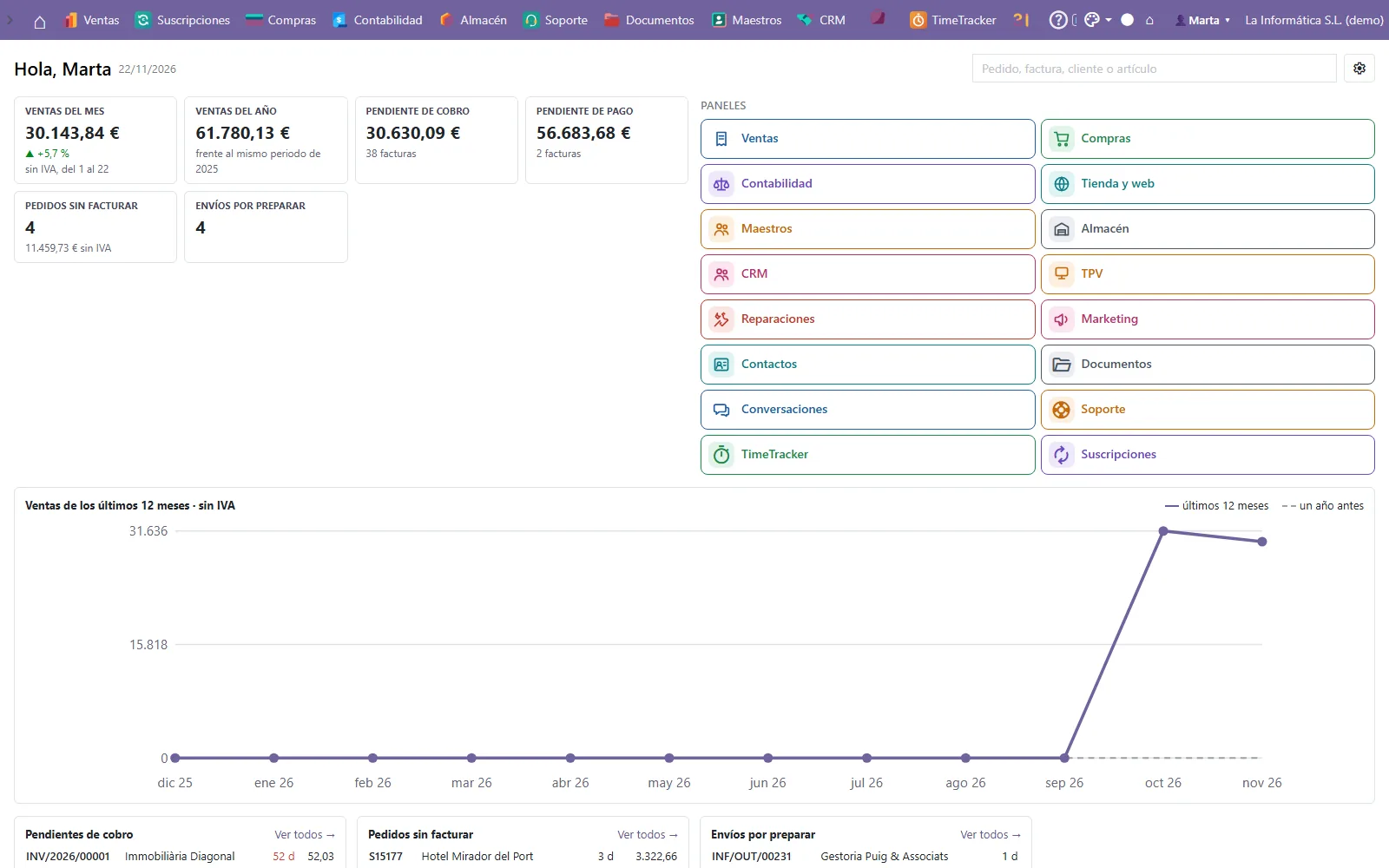
GERP ODOO is the set of GestioERP modules for Odoo 20 Community: the software you know, on top of Odoo, in Odoo's own style and with no Odoo Enterprise licences.
Internal users: one Odoo user for the whole business and, inside it, each employee signs in at «Who are you?» with their own username and password. That gives access levels on a single Odoo user, from the administrator who sees everything to the worker who only clocks in: per-person permissions for every menu, screen, button and icon, the companies each person sees, their own home page with only their panels, and F1 help that only shows what they are allowed to use.
Where it runs: they are standard Odoo 20 modules. Tested on Odoo 20 Community (on your server or in our cloud); they can be taken to Odoo.sh and Odoo Enterprise, where we have reviewed and adapted them, and before installing we test them on a copy of your database.
New Odoo versions: within version 20, Odoo's fixes change nothing and the GERP modules update on their own. Every year, when the new major version comes out, SIAM Cloud adapts the modules and tests them on a copy of your database: on Community the data moves with OpenUpgrade (OCA), and on Enterprise and Odoo.sh with Odoo's upgrade service.
With GERP ODOO we can tailor Odoo to you: we develop for Odoo and we are Odoo consultants.
The introduction to GERP ODOO and to its website, gerpodoo.com. Under a minute each, in Spanish.
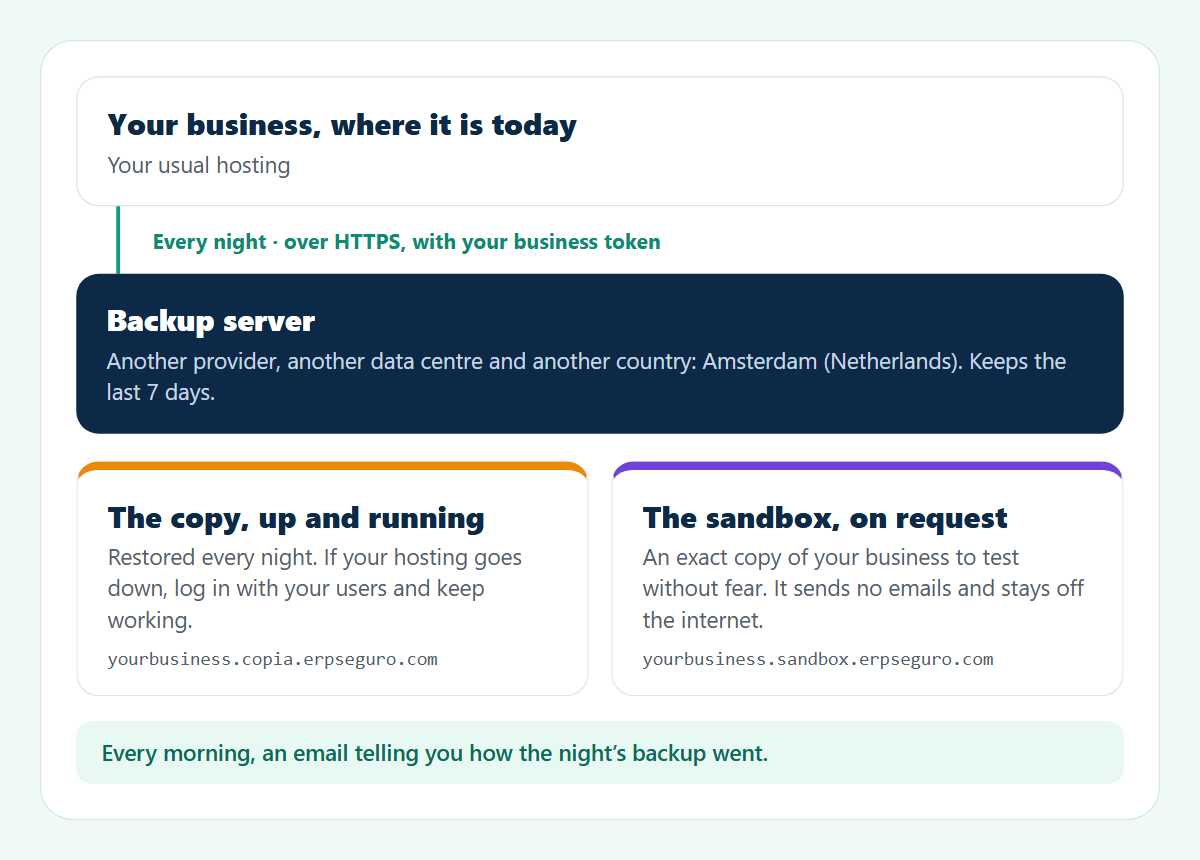
gerp_panelesgerp_asistentegerp_ayudagerp_correogerp_whatsappgerp_tareasgerp_ia_fichasgerp_studiogerp_lineasgerp_presupuestos_tipogerp_fichasgerp_productos_vivosgerp_textosgerp_cuotasgerp_suscripcionesgerp_tpvgerp_documentosgerp_documentos_pdfgerp_imagenesgerp_marcasgerp_contabilidadgerp_carteragerp_reclamargerp_remesasgerp_tesoreriagerp_impuestosgerp_analiticagerp_escaneogerp_gastos_ocrgerp_gerenciagerp_listadosgerp_albaranesgerp_stock_fechagerp_transportesgerp_imagenes_mrpgerp_tiendagerp_helpdeskgerp_helpdesk_timesheetgerp_helpdesk_sale_timesheetgerp_helpdesk_websitegerp_timetrackergerp_importgerp_almacenamientogerp_dms_miniaturasgerp_grupo_empresasgerp_grupo_empresas_marcasEvery night CopiaSandbox sends a copy of your business to a server with another provider, in another data centre and another country. There it is restored and left running: if your hosting goes down one day, you log in with your users and keep working.
And when you want to try something, you ask for a sandbox: an exact copy of your business, kept apart, where you can touch everything without breaking anything.
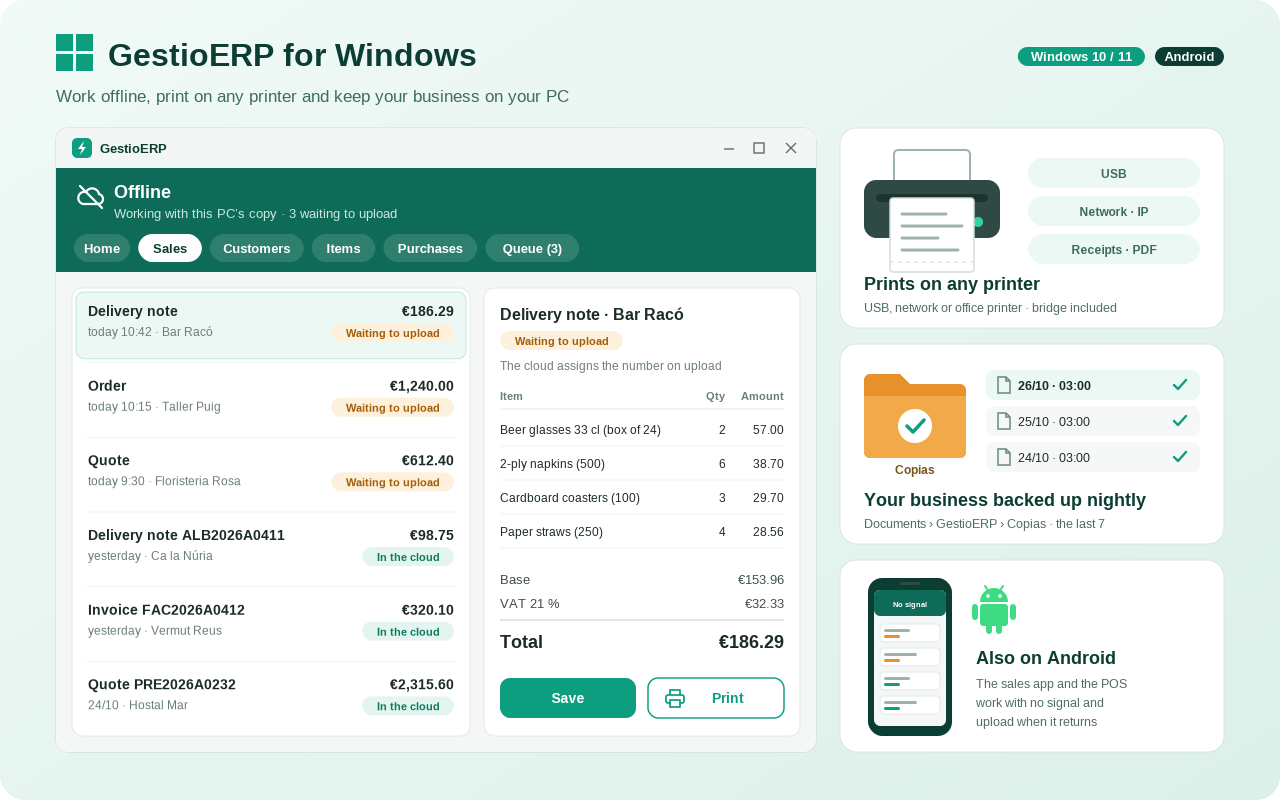
The sales app, the usual GestioERP and the POS in a single window on your computer, with the session saved. Windows 10 and 11, installs without administrator rights and updates itself.
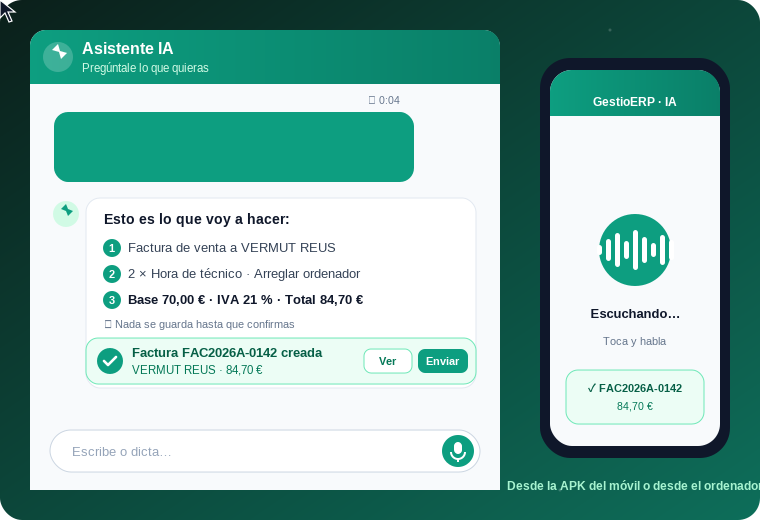
Tap the microphone and speak: «Make an invoice for Vermut Reus with 2 hours of technician time to fix the computer.» The assistant finds the customer, adds the item, works out the VAT and shows you the plan. Tap Confirm and the invoice is done.
It creates customers, items, quotes, orders, delivery notes and invoices, converts one document into the next, books appointments and chases payments. And you can ask it anything.
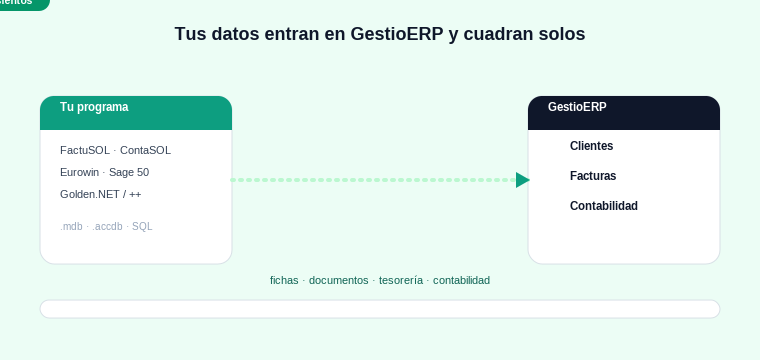
A single module brings your data from FactuSOL, ContaSOL, Eurowin, Sage 50, Golden, CORUS, TG Profesional, ClassicGes and ClassicConta, and sends your invoices to your accountant's software in one click.
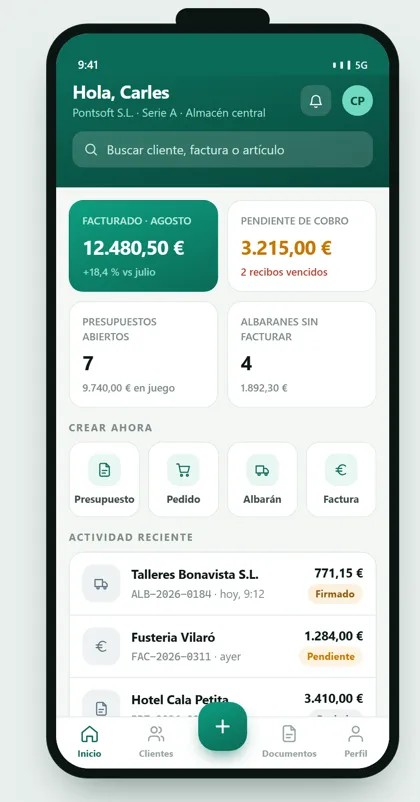
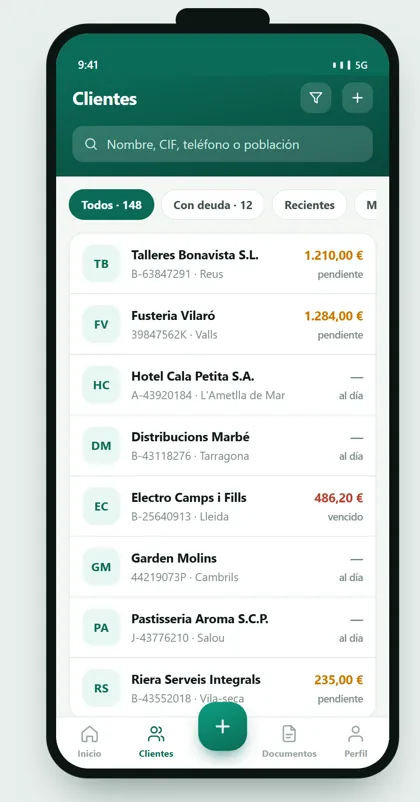
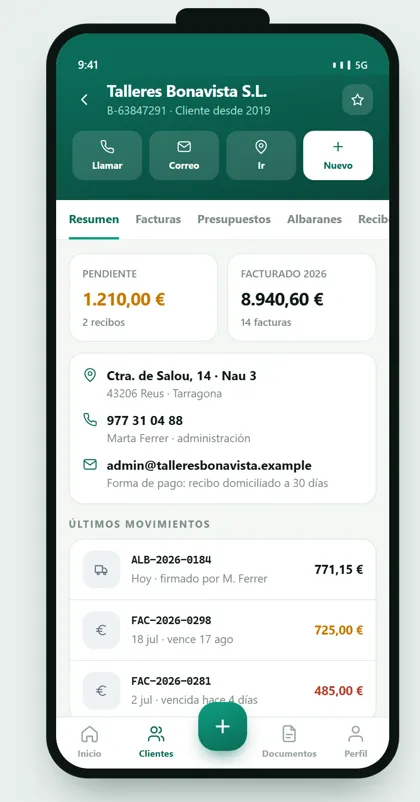
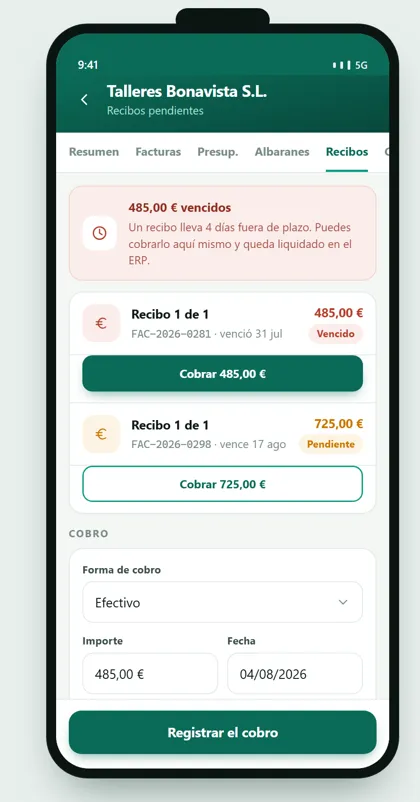
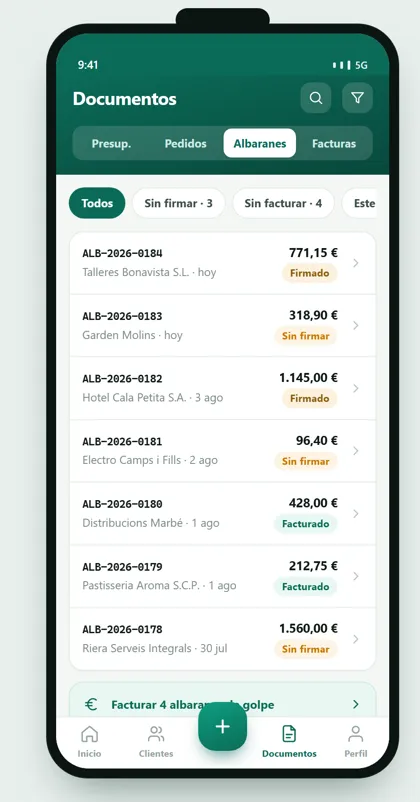
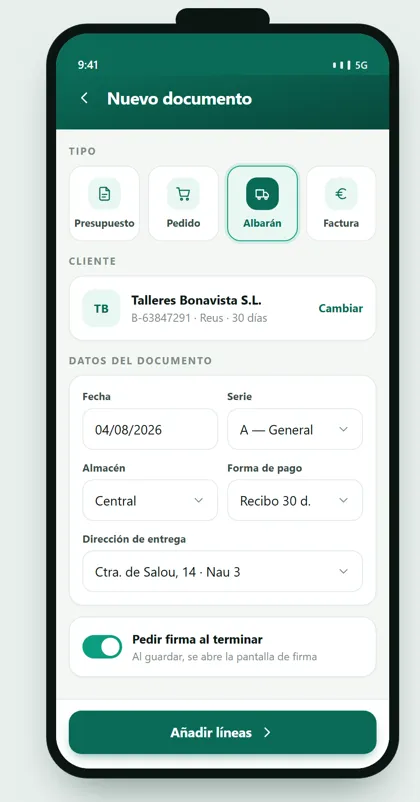
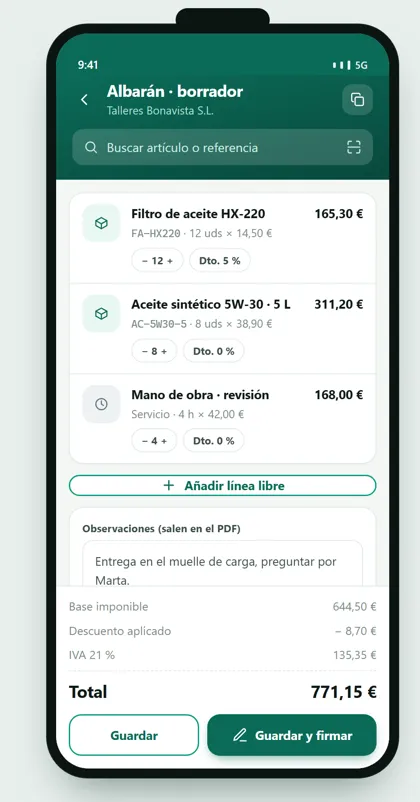
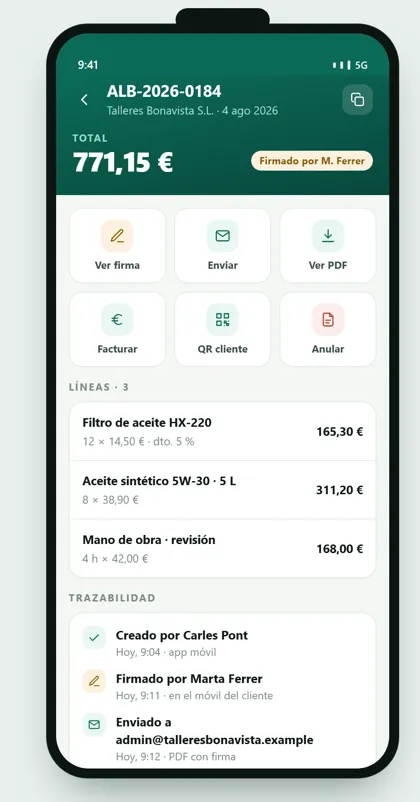
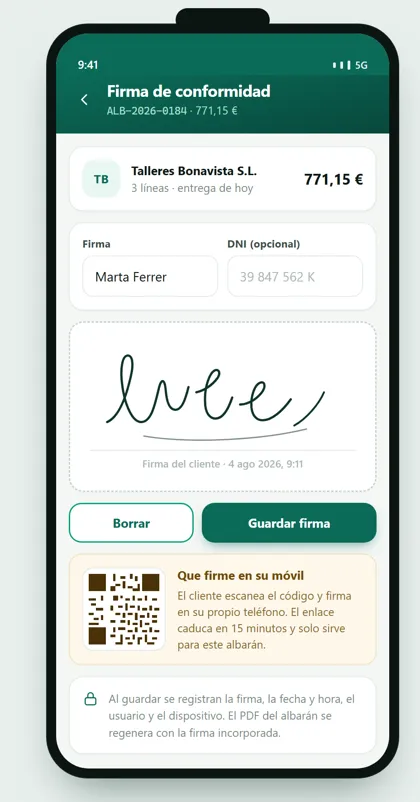
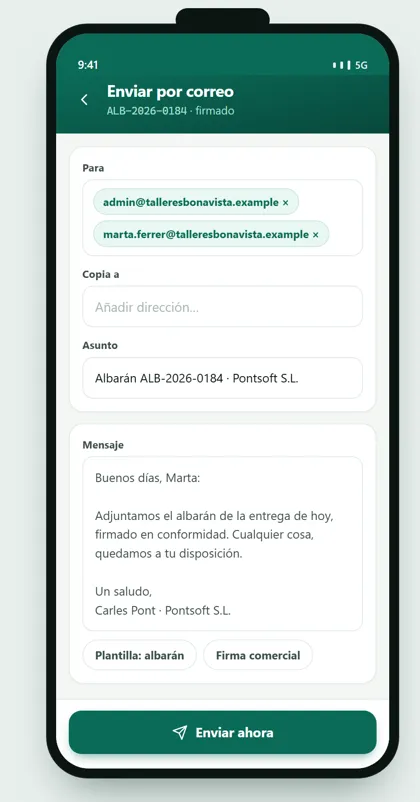
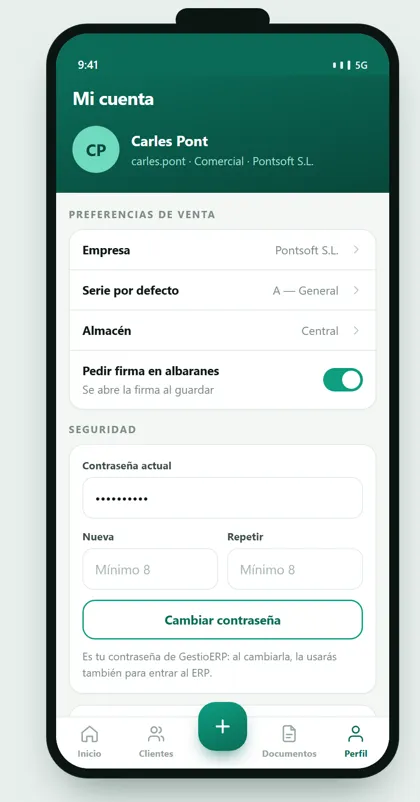
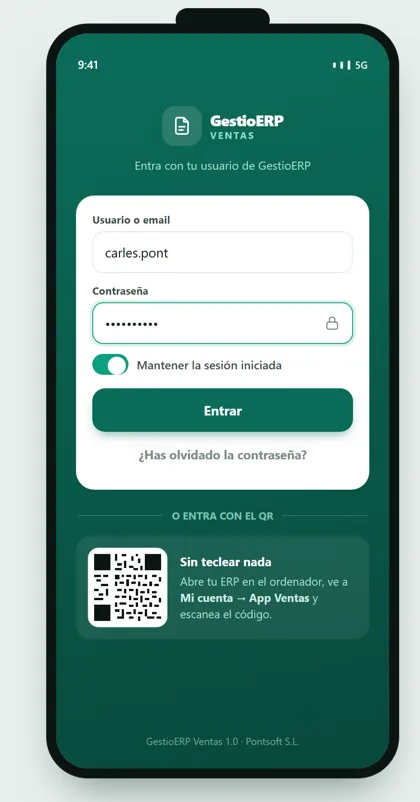
Customers, payments, quotes, signed delivery notes and email sending, all in your pocket and connected to GestioERP. These are its real screens and every published version.
The same data as in GestioERP, instantly. Nothing to copy, no waiting until you're back.
Quotes, orders, delivery notes and invoices in front of the customer.
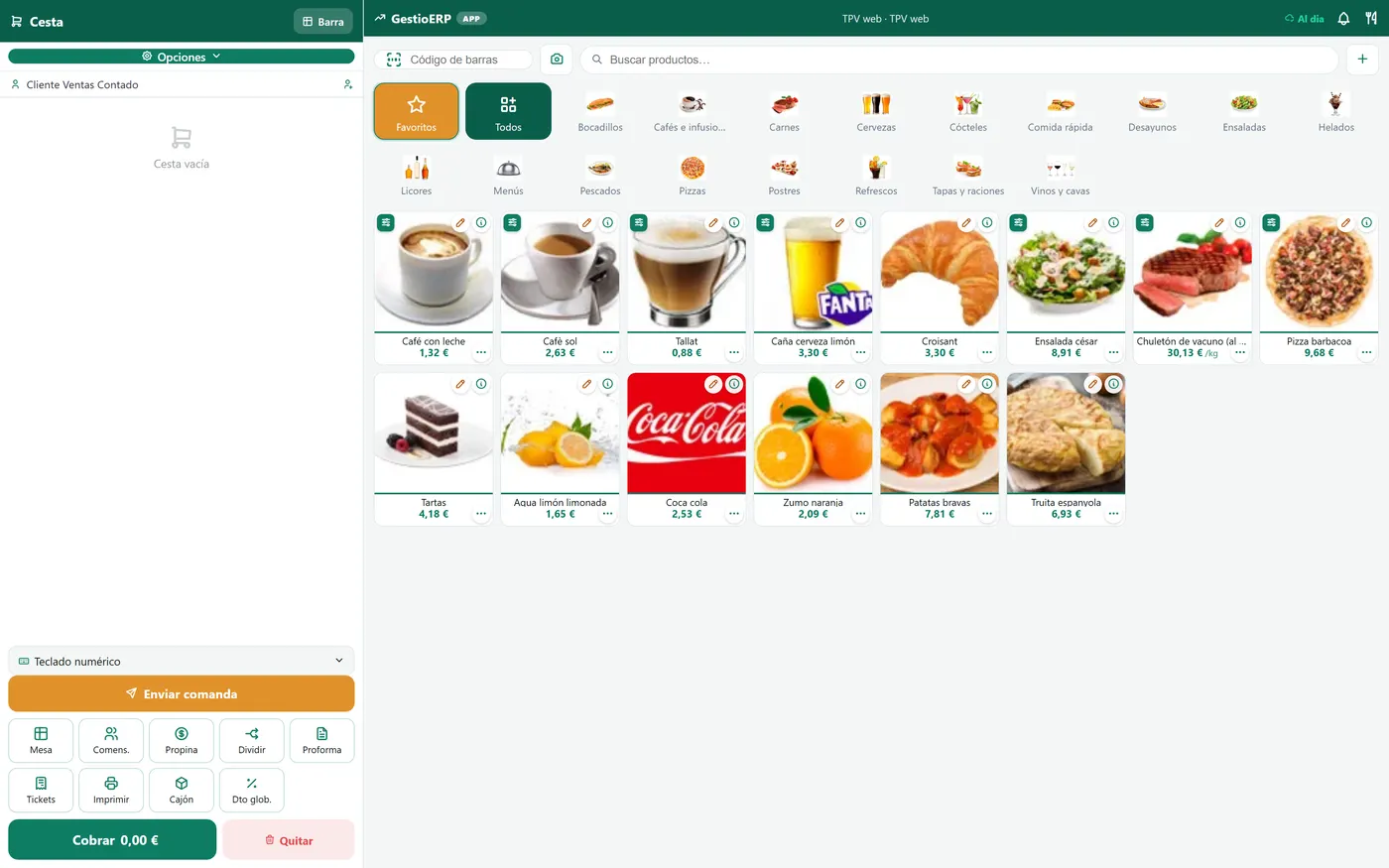
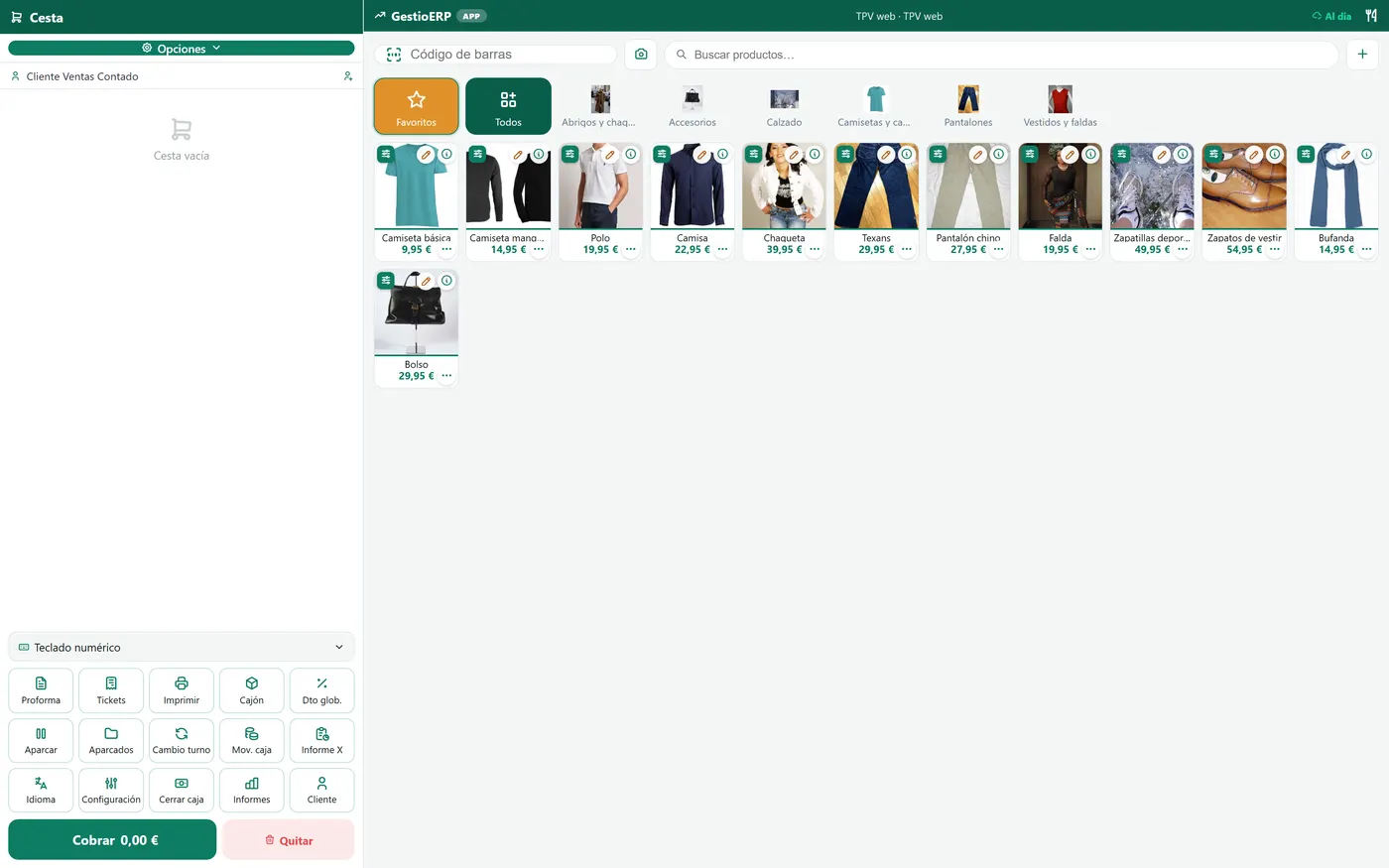
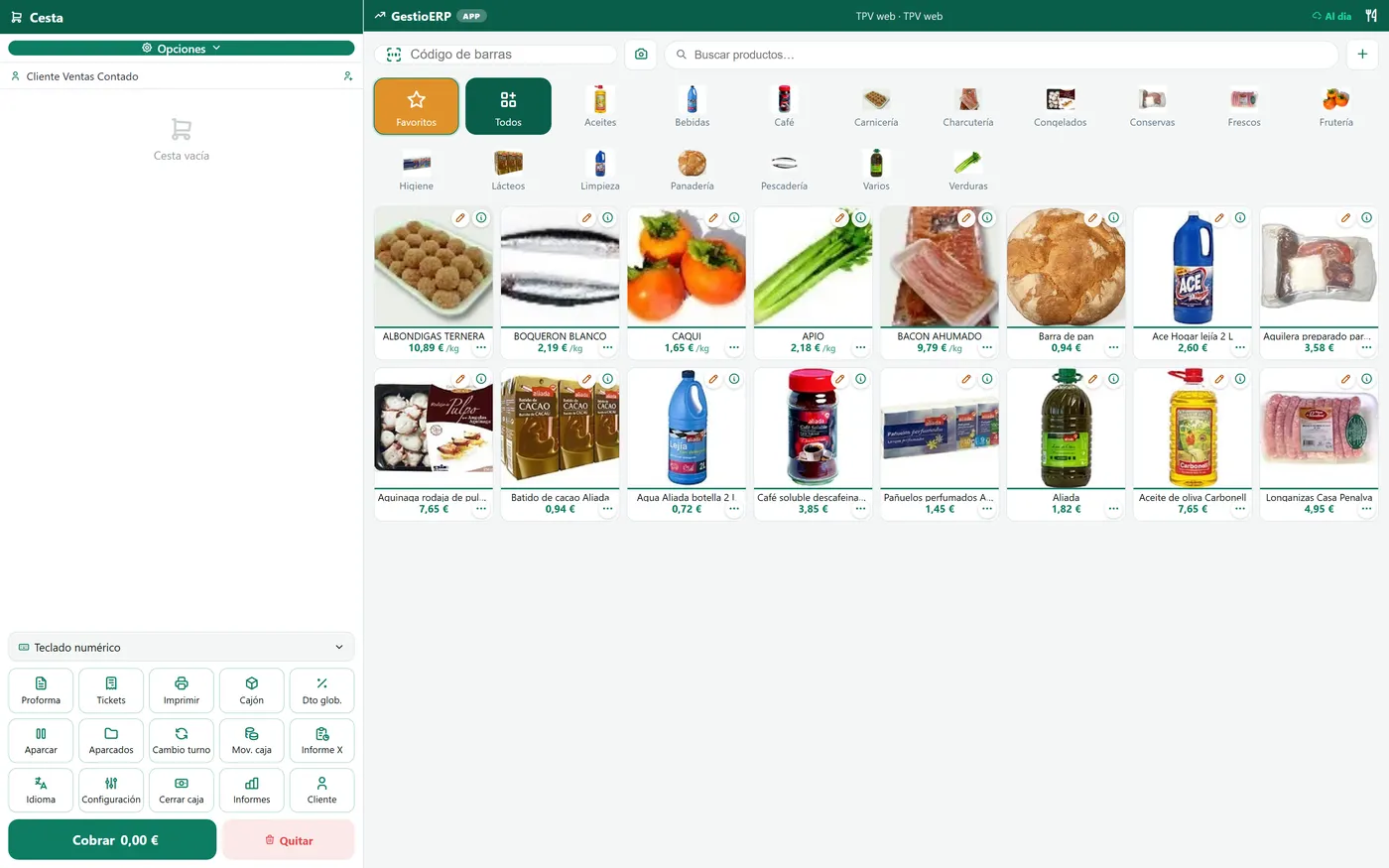
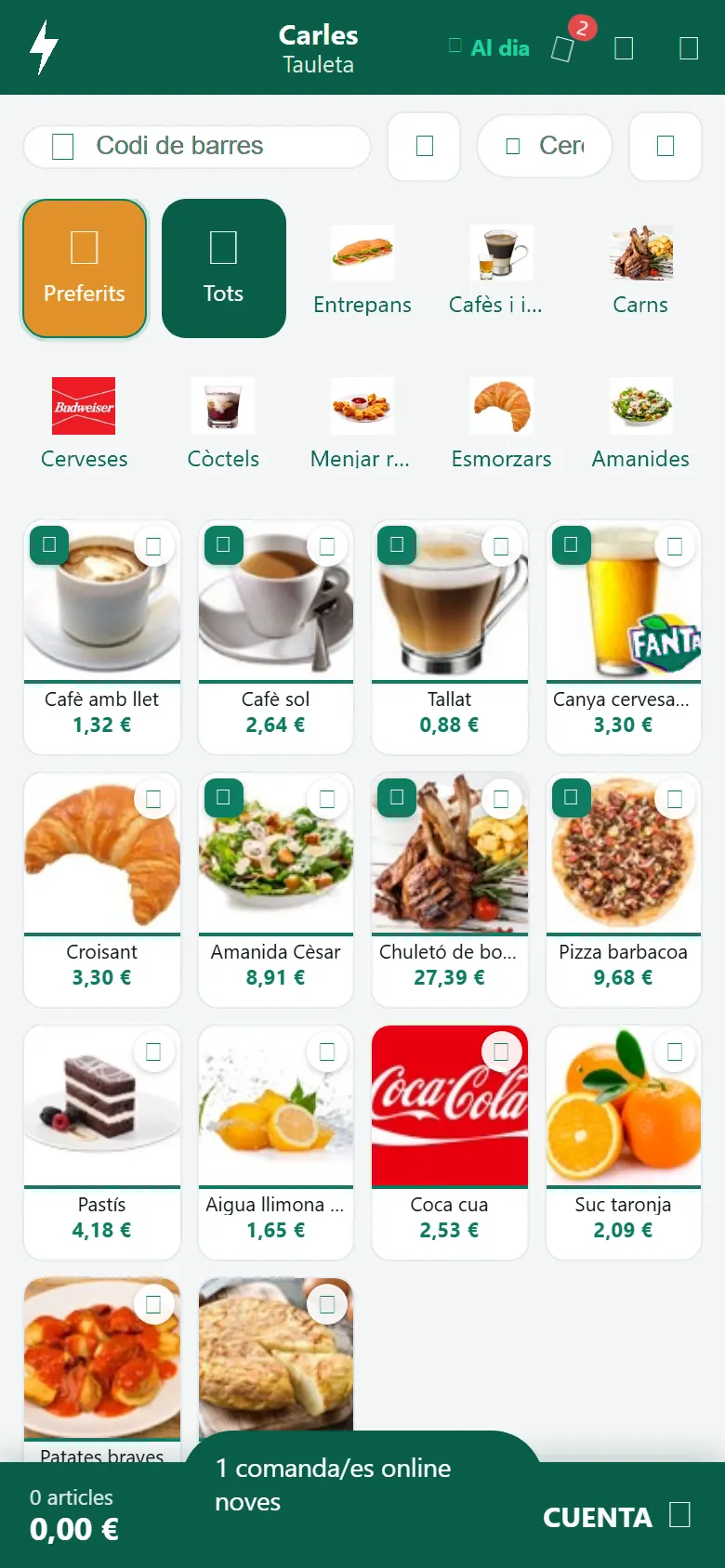
The POS that keeps going even when the internet drops. Hospitality, retail, fashion, salons and more.
Every invoice posts its own journal entry. VAT, balance sheets and P&L with no re-keying.
Ask about your business and it takes you to the screen you need.
A complete cloud ERP, on the web and on your phone, that grows with your business.
Invoices, quotes, delivery notes and receipts in seconds, with your logo, emailed as PDF and with payment tracking.
Learn more →Learn more →Learn more →Learn more →Learn more →Built-in accounting: automatic journal entries, VAT books, balance sheet and P&L, ready for your accountant.
Learn more →Learn more →Learn more →Learn more →Customers, suppliers, purchasing, sales, stock, POS and payments in a single business management system.
Learn more →Learn more →Learn more →Get started in minutes, nothing to install. The invoicing app for freelancers that lives in your pocket.
Learn more →Learn more →Ready for Spain's Verifactu and TicketBAI rules: QR-coded invoices and secure records, no need to switch software.
Learn more →Integrated payment platforms: customers pay the invoice online and the payment is recorded automatically.
GestionERP.app is the mobile app of GestioERP, the cloud business management, invoicing and accounting software for freelancers, SMEs and shops. Business management software with POS, AI assistant and apps for every sector.
Pick yours and download it. Always the latest version.





Android apps. On first launch it asks for your GestioERP address or the QR code from your record.
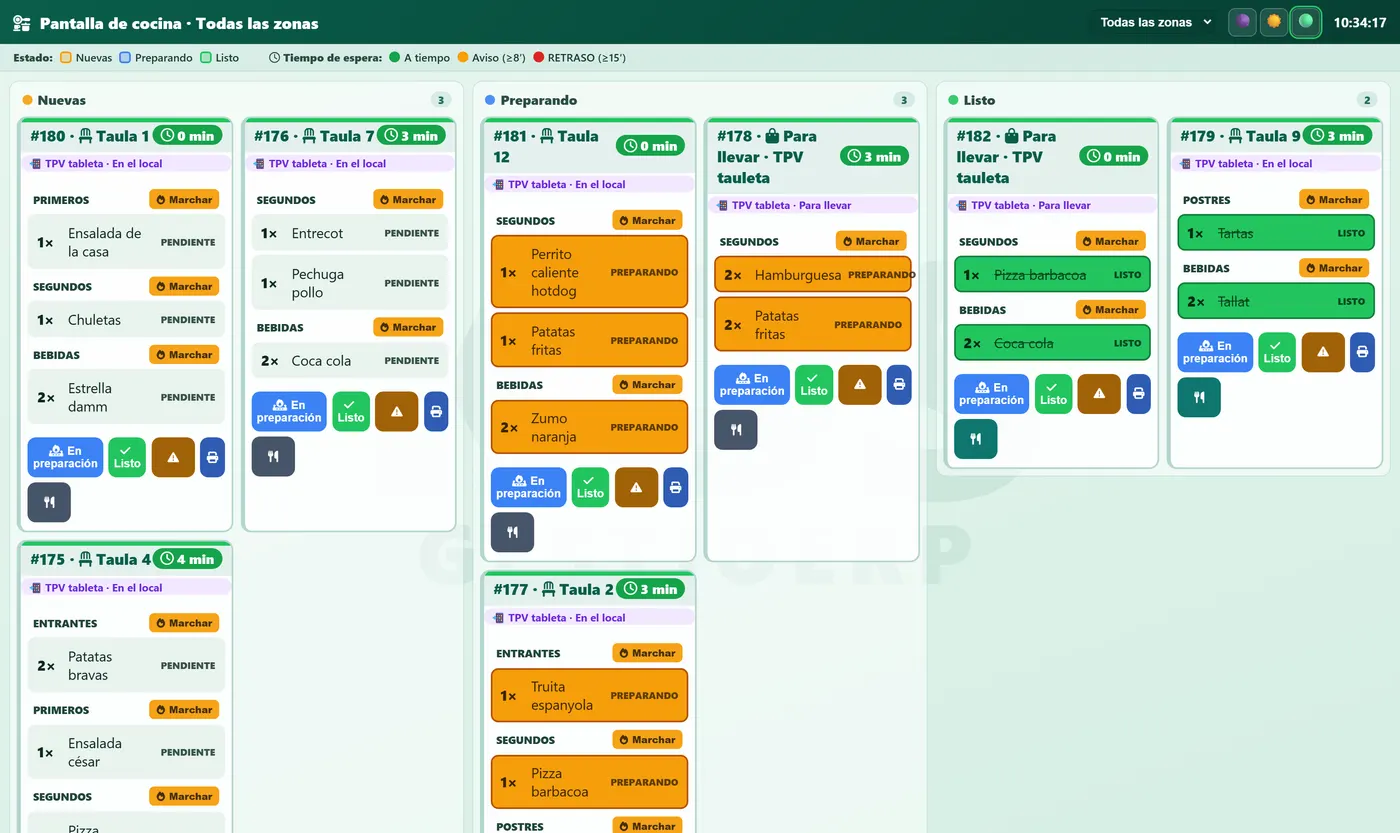
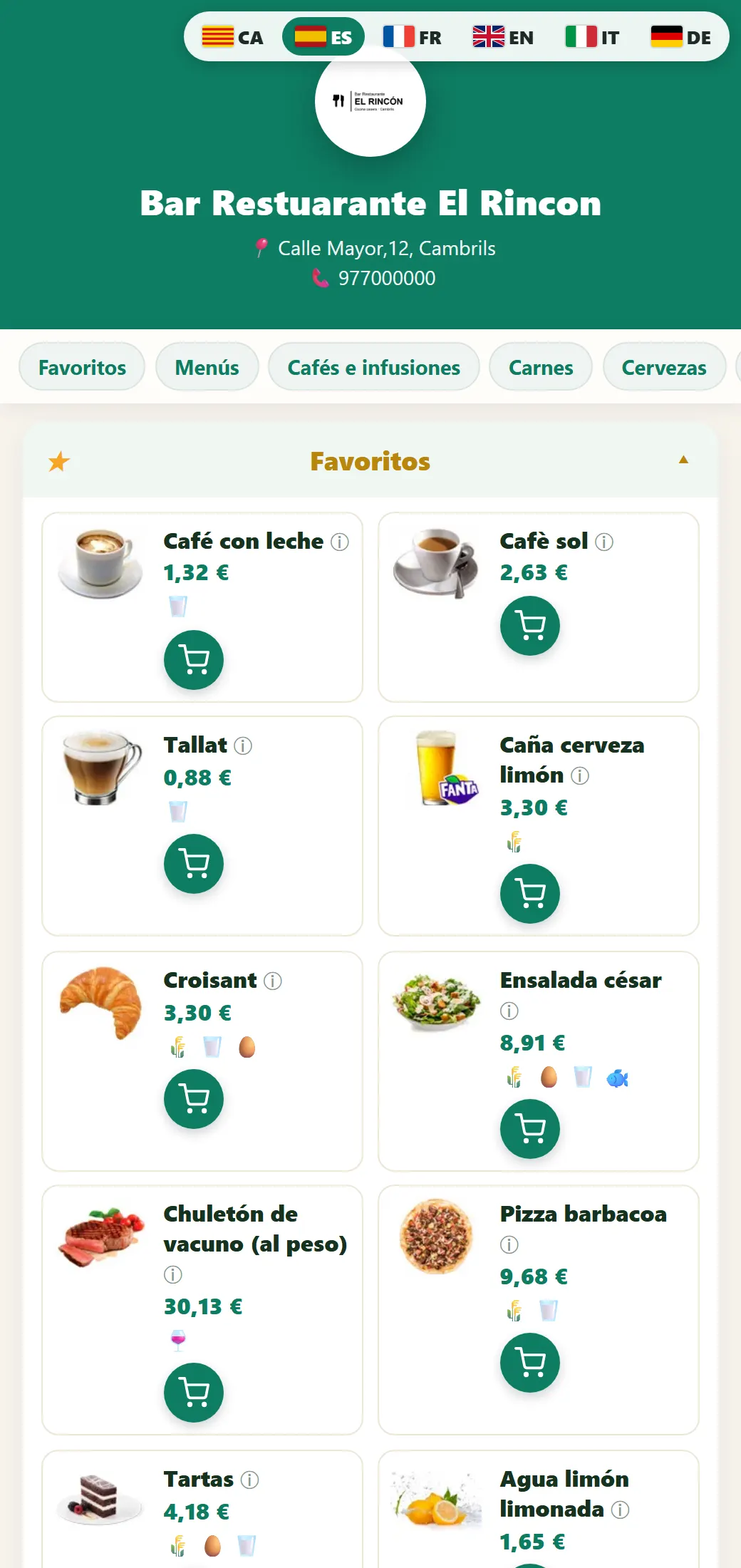
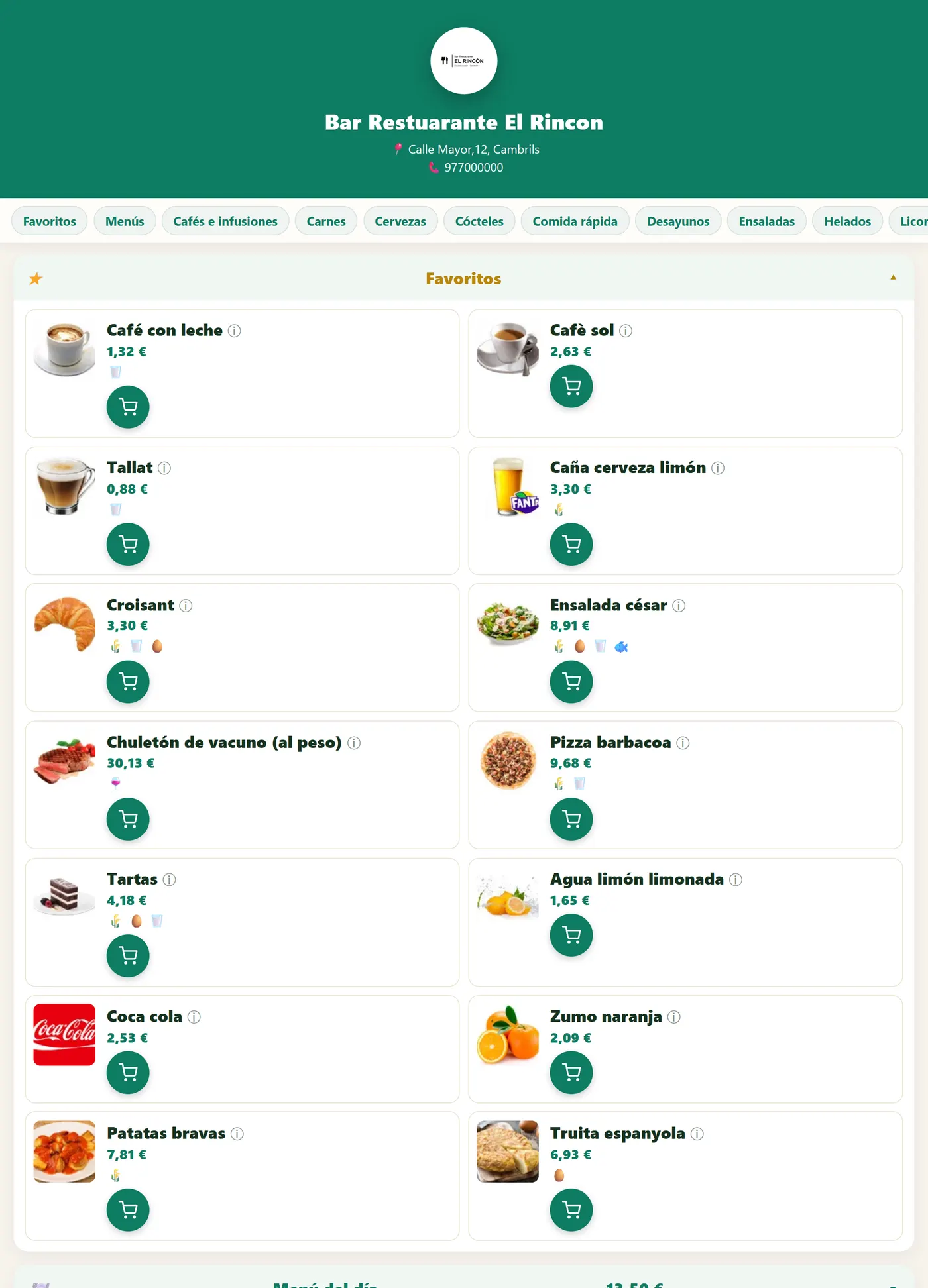
Checkout, orders, kitchen, QR menu and kiosk, all in the same system and connected to your accounting. Runs in the cloud and keeps taking payments when you lose connection.
The latest published versions.
When a bill is paid, the table (the bar too) is freed on the server even if the tablet fails to report it: it no longer stays open on the handheld or the web POS with the receipt already printed.
No tables: customers send their order from the QR menu without paying and get a pre-order number; at the bar it is paid, a pager from 1 to 40 is handed out and only then the order goes to the kitchen or the bar.
When an employee logs in, the POS switches to the language set in their record; if none, to the language of the ERP user.
F1, the «?» and the «Help» button open the help in a window of the program that does not fill the whole screen, as on the web, instead of in the browser.
PDFs that open in a new window (A4 passport, 2-up, all on A4…) are shown inside the program and saved to Downloads. And in the documents scanner field, also offline: REF+3*12,50-10 sets quantity, price and discount in one go.
Alt+M or Alt+G open the menu, arrow keys move through it and Enter opens the screen. And the lightning button takes you to the same screen in the full program.
Arrow keys through days and hours like a spreadsheet and Enter to create the appointment, also offline.
Task board and time log with a stopwatch, inside the CRM of the sales app and the classic program. They need internet.
Offline, each document line lets you choose its VAT, and in its detail the withholding and surcharge, just as online.
In the POS, the discount is chosen like the on-the-house option: tick the lines and how many units of each, or «All» for the whole bill.
The home screen keeps the sales app, the classic program and the POS (only if the business has it switched on); «Offline» and «Sync queue» move to Settings. A business without the sales app is always recognised and the classic program no longer shows «Page not found».
If the sales app is switched off in the business, the program stops showing it right away: the home screen only offers the classic GestioERP and, if you were in the app, it moves to the classic program by itself. Switch it back on and it reappears.
After a brief internet outage the print bridge no longer stays red: as soon as the connection is back it turns green, and Settings shows when the last outage was. If a document does not print, it turns orange and says which one.
The label printer can be a network printer by its IP, without installing it in Windows: any office computer with the program running prints on it. If the business one already has an IP it is suggested, and virtual printers no longer appear in the list.
Top right, «Exit» (like the X or Alt+F4), minimize and the window size, which also takes it out of full screen. The window always fits on the screen with its borders to resize it, and coming back from the POS it stays as it was.
If the business has the labels module, the wizard and Settings → Print bridge ask for the label printer (Godex, Zebra, TSC, Brother QL…): it is registered and labels print directly, without the Windows dialog. With a «Test label» button. And the POS moves to 5.57.
The demos you try no longer disappear when you close the program or turn off the computer: they stay in “Businesses” until you remove them. And when you open it again it enters the last business you used, even if it was a demo.
The print bridge no longer stays stopped after setting up the computer (what you send to the printer comes out), it says which program holds it if there is another one and which business it is connected to; and the backup is checked to be complete, with the last backup and the last error in sight.
The POS without a terminal lets you pick one of the business terminals, the receipt printer and the cash drawer, and it is all set; the A4 printer is registered by itself; Settings by sections; «Back» in the wizard; and removing a business deletes everything of it from this PC (backups, if you want).
They become the sales app with their module: they work offline with the same copy and carry the same number, 3.32. The first time, link the phone with the QR in “My account”.
Invoices, delivery notes, orders, quotes and lists, to the office printer in one click, without opening the PDF first. And each printed document is kept on the computer, in folders by type (Ventas › Facturas › FAC…).
The apps for each business type carry the same number as the sales app and work the same offline. Offline, the AI button no longer shows (it cannot answer without a connection) and, on the phone, “Menu” always stays on the right of the bottom bar.
While the offline copy downloads, the app shows it step by step (customers and items, screens, modules) and how long it has taken; after 15 seconds you can go in without waiting.
The Android apps get the offline copy ready before opening the app and switch to it on their own if the connection drops. And offline, the Climate tab of the customer record.
Offline too: the Winalum catalogue, series and material orders; the article list tabs and their Excel; and turning a quote into an order or delivery note.
Offline, the customer and supplier records no longer have greyed-out tabs (contacts, accounts, subaccounts, fees, appointments, emails, ledger and receipts, account statement…), and the quote pro forma invoice also comes out as PDF.
Offline, invoices, delivery notes, orders and quotes come out as PDF with the company logo, just like online.
A wizard the first time (business, printers and copy), “Remember on this PC”, demos with user and password and backups in a cycle: the day’s, the week’s, the month’s and the year’s.
When the business is updated, the offline copy refreshes the menu and the look of the screens right away.
Offline, custom reports look the same as online, with their icons and proper layout.
Winalum offline: besides the cutting sheet, the manufacturing sheet, the materials list and the CE marking of the quotes, as in the last copy.
Offline, the calendar is the same as online: Day, Week, Month, Year and List, My calendars with appointments, jobs, CRM, receivables and payables; appointments can be dragged, stretched and change status, and everything is saved when the connection is back.
Offline, products, suppliers and “New document” look like the app: the product page with its photos, its switches and its references with cost, margin and price, which can be changed; the product list with its filters; what is owed to each supplier, their receipts and their page; and the steps to start a document.
Offline, View PDF of any document (made by the device itself) and Share; payment method, advance payment, packages and Split are noted and done when the connection is back; the company and year in the top bar can be changed offline and custom listings open as in the last copy.
Offline, documents and customers look like the app: lines are typed the same way, with the same keys; “Edit” works for any document that can still be changed; the document page has the same buttons, and the customer page all its tabs with their counts, what is owed, what was invoiced and the latest activity.
Offline, the whole app menu: accounting, receivables, CRM, purchases, warehouse, reports, miscellaneous and the POS open with the same screens, as in the last copy, and you move through them as online (arrows, Enter, Esc, the record alongside). On Windows, “Open the POS” opens the app POS.
In Settings, the “Photos and library on this PC” notices are now clear: they say whether the box is unticked or the business needs the sales app 92.6 or later, instead of an internal code.
Storage units and parking offline too: the map, each unit and the active contracts as in the last copy, and notice, ending, signed on paper, maintenance, access data and extra items offline, which the app saves when the internet comes back. And the architecture studio: projects, tasks, notes, hours and deliverables offline; and at school, taking attendance.
The law firm offline too: the case files with their details, the deadlines, the clients and the unbilled work as in the last copy, and logging entries, deadlines and contacts offline, which the module saves when the internet comes back.
Winalum offline too: the window quote builder with the same screen (modules with their drawing, measurements, colour and extras), left pending valuation until the cloud prices and numbers it; the quote list and the cutting sheets, offline too.
The print shop offline too: the shop floor with its work orders, Start and Finish each operation with the operator and the clock time (the part uploads by itself with its hours when the internet comes back), and the new quote with the same wizard and drawings, left pending valuation until the cloud calculates it.
Each computer's POS shows which terminal it is (in Settings, on the home screen, on the POS Back button and in the title), and an administrator picks it from the business terminal list without pasting the key. If there are tickets not yet uploaded, it warns before switching.
The nursery offline too: on the delivery note you type the reference, the barcode or the label number and formulas like AES+6*3,25-20; the price comes from the quantity tier with the customer rate and family discount, the second row of the line holds the packaging and the order reference, and the plant passport is printed at once, provisional until the cloud numbers the delivery note.
Service jobs and the agenda offline too: new jobs, change status, priority or technician and add material; new or moved appointments, with a warning when they overlap, and physio ones. Everything uploads with the cloud number when the network returns.
Obras and Clima offline too: work reports (start, pause, finish, hours, materials and customer signature) and HVAC maintenance visits (gas, technician, notes and signature), uploaded with the cloud number when the network returns.
Offline, all of sales and purchases on the same app screens: also item photos and the library on the PC (taken from the backup) and the manual with F1. The queue is just another screen and clashes stay «to review».
Offline, the same application: the usual menu, header and home over the local copy, with an «Offline» band on top; what needs internet is greyed out and the queue is just another screen. On Windows, Settings shows where everything is stored on the PC, and the backup saves the database even when the attachments take long. Phase B in progress, delivery 1 of 4.
Offline you can now also create and edit customers, items and suppliers, and correct your own documents, on the very same sales-app screens over the local copy. When the network is back everything uploads in order, the cloud assigns the codes and numbers, and anything that clashes with a change made at the office is left "to review" with both versions, to be decided from the app, from "Devices" or from GestioERP.
To test offline work without cutting the network: in Settings → System, “Simulate that the cloud is not responding (testing only)”. The sales app switches to its offline screens and, once unchecked, the queue uploads by itself. The note under the installation key in Settings → System is fixed too.
The 19 sales apps by business type (law firms, dental, bakery, garden centre…) now carry the whole business offline: sales, purchases, items, customers and suppliers on their own screens, plus a queue that uploads when the network is back.
Offline, the whole business inside the app: sales, purchases, items, customers and suppliers on their own screens, plus purchase orders and delivery notes that upload when the network is back. The installer checks the requirements (64-bit Windows 10/11, 4 GB).
A demo gallery to try any business without linking anything, shortcuts to the sales app, the classic program and the full-screen POS, and offline work with the whole catalogue.
The desktop app: sales app, whole program and POS in one window, with the print bridge inside and offline work.
Compact phone layout and the app opens inside, without jumping to the browser.
The AI assistant arrives in the Winalum app.
Law firms, dental, bakery, storage units, flight school… every trade with its own app.
New POS version for all 9 sectors, kitchen display, digital menu and kiosk.
Invoicing, accounting, POS, stock and solutions for every sector.
Recurring quotes with photos and today's prices, expense receipts read by AI from your phone, a Print button, stock at a date and TimeTracker in Odoo purple.
Read more →22 November 2026With GERP ODOO we can tailor Odoo to you. Our team has already built over 40 GERP modules for Odoo.
Read more →22 November 2026The GestioERP modules for Odoo 20 Community: home page with panels, fast lines, receivables, Norma 43, POS, TimeTracker, F1 help and an AI assistant.
Read more →7 November 2026If your hosting goes down, keep working on the copy. And an exact copy kept apart to test without fear. At erpseguro.com.
Read more →26 October 2026Work offline on the same screens, print over USB or network with the print bridge and keep a nightly cloud backup on the computer. The POS runs on Windows too, and the same goes for Android.
Read more →12 October 2026Say «make an invoice for Vermut Reus» and four seconds later it is on screen, ready to confirm.
Read more →6 October 2026The tax agency delays the rule a second time. GestioERP is already ready for it.
Read more →1 October 2026A new module for offset and digital print shops.
Read more →17 September 2026Sales, purchasing, payments and more: not a cut-down version, the same GestioERP.
Read more →15 September 2026The import module now also exports to your accountant's software.
Read more →13 September 2026Draw the window and the price appears, with the cutting sheet ready.
Read more →12 September 2026We import customers, items, invoices and accounts from your old software.
Read more →10 September 2026No bank terminal, no fees, no lock-in: it pairs over Bluetooth.
Read more →An ERP is business management software that brings invoicing, accounting, purchasing, stock, customers and POS together in one place. GestioERP is a cloud ERP and GestionERP.app is its mobile app.
One that lets you invoice in a minute, complies with Verifactu and doesn't make you re-key your accounts. GestioERP creates invoices, posts the journal entries, tracks payments and lives on your phone, AI assistant included.
Yes. Every sales and purchase invoice creates its journal entry, with VAT books, balance sheet and P&L. Your accountant can log in to review it.
Yes. GestioERP is adapted to Spain's new Verifactu law and TicketBAI: invoices carry their QR code and records are stored securely.
It answers questions about your business (sales, debts, stock, VAT), drafts quotes and invoices, scans supplier invoices and takes you straight to the screen you need.
There are Android apps for every role and GestioERP opens in any phone browser. The Tapik POS keeps taking payments when the internet drops and syncs when it's back.
Yes. You can request a free 15-day trial with a business in your name and your catalogue, no card, no commitment.
Demo businesses with their own catalogue and sales. No sign-up.
Tell us what you do and we'll get right back to you. If you like, we'll set up a 15-day trial with your catalogue.
Ask for the free 15-day trial and connect the app in a minute.
Try GestioERP free →